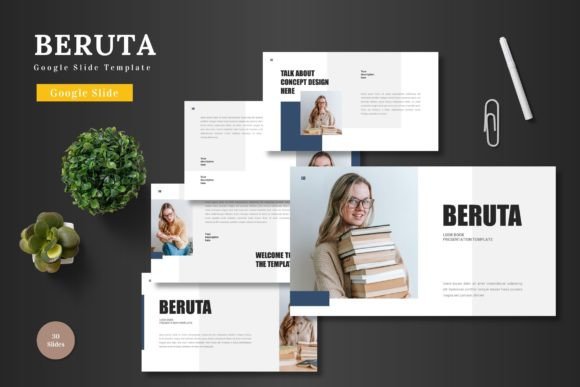
Beruta – Google Slide Template for Polished Presentations
Crafting a presentation that feels both professional and visually engaging can be a significant challenge, especially when time is limited. The Beruta – Google Slide Template is designed to solve that problem, offering a clean, scalable, and colorful foundation for your ideas. This isn't just another set of slides; it's a versatile toolkit ready to elevate your business pitches, product promotions, or e-commerce strategies with a polished, cohesive look.
What sets this template apart is its focus on flexibility and ease of use. Every element is built within Google Slides, so there's no need for additional software. You can simply input your content, drag and drop images into placeholders, adjust colors to match your brand, and leverage animated slides to bring your narrative to life. This streamlined process allows you to focus on your message rather than getting bogged down in design logistics.
A Design Asset for Modern Communication
Think of the Beruta template as more than a presentation file; it's a foundational design asset. Its handcrafted infographics, pixel-perfect illustrations, and master slide-based structure ensure visual consistency across 150+ slides. With five premade color schemes, each containing 30 meticulously designed slides, you have ample room to tailor the aesthetic to your specific project's mood, whether it's corporate, creative, or minimalist.
The practical applications are extensive. This template is an excellent choice for:
- Business and Pitch Decks: Create a compelling narrative for investors or clients with a professional, structured layout that builds trust.
- E-commerce and Product Promotion: Showcase products or services with clear, visually appealing slides that highlight features and benefits.
- Brand Identity and Marketing: Use the consistent design language to reinforce brand recognition in internal reports or external marketing materials.
- Educational and Editorial Projects: Present complex information or stories in an accessible, visually engaging format.
Tips for Selecting and Using Your Template
When choosing any template, including the Beruta – Google Slide Template, consider a few key factors to ensure it meets your needs. First, assess the readability of the text layouts and charts. Does the font pairing and spacing make your content easy to digest? Next, match the template's visual mood to your project's tone. The provided color variations should align with your brand identity or the desired emotional impact.
Finally, explore the customization potential. The best templates, like this one, are built on master slides and offer editable graphics. This means you can maintain design integrity while tailoring every aspect. Always review the included file information, such as the readme, to understand font and photo sources, ensuring your final presentation is both beautiful and compliant.
Ultimately, investing in a well-designed template like Beruta is an investment in clarity and professionalism. It provides the structural and visual consistency that can make your ideas more persuasive and memorable. By starting with a robust, adaptable foundation, you empower yourself to communicate more effectively, leaving a lasting impression on your audience.